
|
Do it yourself
| |||
| ||||


Removing the Battery from a Citroen Xsara Picasso
Model: Citroen Xsara Picasso
MK 1
- Years 1999-2012
How to replace the battery in a Citroen Xsara Picasso? This video explains how to remove the battery. Open the car door and lift the driver's seat; the battery is located underneath it (in other cars, it is commonly found in the engine bay). Remove the plastic cover of the battery cover, and begin unscrewing the securing bolts of the battery terminals with the appropriate socket wrench. Remove the old battery using the plastic handle and fit a new one, tightening the power terminals. Close the battery compartment and lower the driver's seat.
Updated on 28 February 2026 by ScegliAuto
Video tutorial
Related tutorials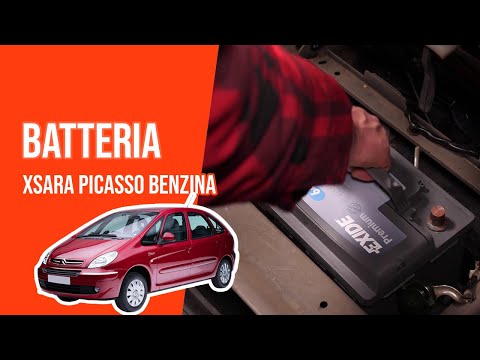
Citroen Xsara Picasso
(1999-2012 /
MK 1)
In order to replace the Citroà «n Xsara Picasso battery, the driver's seat headrest must be removed and the seat folded down, completely lowering the…
Citroen Xsara Picasso
(1999-2012 /
MK 1)
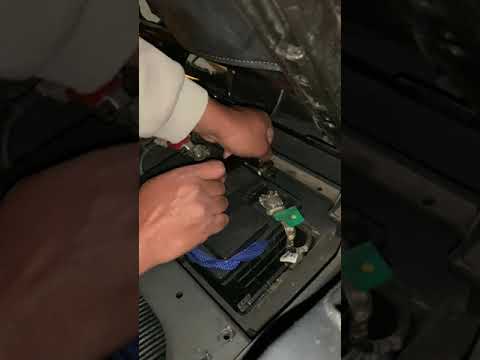
In this tutorial, we can see how to replace the battery in the Citroen Xsara Picasso, a very simple and quick operation. As shown, the battery is not…

Citroen Xsara Picasso
(1999-2012 /
MK 1)
In order to replace the battery of the Citroën Xsara Picasso, you need to push the driver's seat all the way forward, so that you can locate the pane…
Other guides you may be interested in
|
How to Replace the Rear Wiper Blade on a Porsche Cayenne
In this video, see how to remove and replace the rear wiper blade on a Porsche Cayenne. Grip the metal rear arm with the plastic cover, pull the wiper blade as shown in the video until it disconnects from the clips (gently, to avoid breaking the arm), and detach it from the arm on the left. Install the new wiper blade onto the arm; you will hear a click when it is securely attached. Finally, lower the wiper arm onto the rear window and test the new blade's operation. It is always preferable to use original parts for better durability and quality. by ScegliAuto More videos
|
|
For advertising on this site Write to info@scegliauto.com
ScegliAuto is not responsible for any inaccuracy of the data in the lists. To report any inaccuracy or your business (if you own the business in question), please write to info@scegliauto.com
Number of seconds to generate the page: 0.121
(c) ScegliAuto 2026 - info@scegliauto.com - Privacy policy VAT number: IT01247470535 |
